Workforce scheduling
- Agents rostered once shrinkage is added
- 117.6
- Computed on this page from the inputs below
- Workload in the interval, hours
- 35.00
- Computed on this page from the inputs below
- Agents the raw workload needs
- 70.00
- Computed on this page from the inputs below
- Agents at your target occupancy
- 82.35
- Computed on this page from the inputs below
The numbers on this page come from the inputs you enter and the method stated: 3,600 seconds to an hour, 52 weeks to a year, twelve months to a year, and nothing else. No industry shrinkage figure, no occupancy benchmark and no assumption about your attrition; every one of those is yours to enter.
Email me this result
We will send you these figures and a link back to them. One email, nothing else unless you tick the box.
The figures above start from a worked example (117.6). Change any input and the answer updates as you type.
Download the Workforce scheduling worked example (CSV)
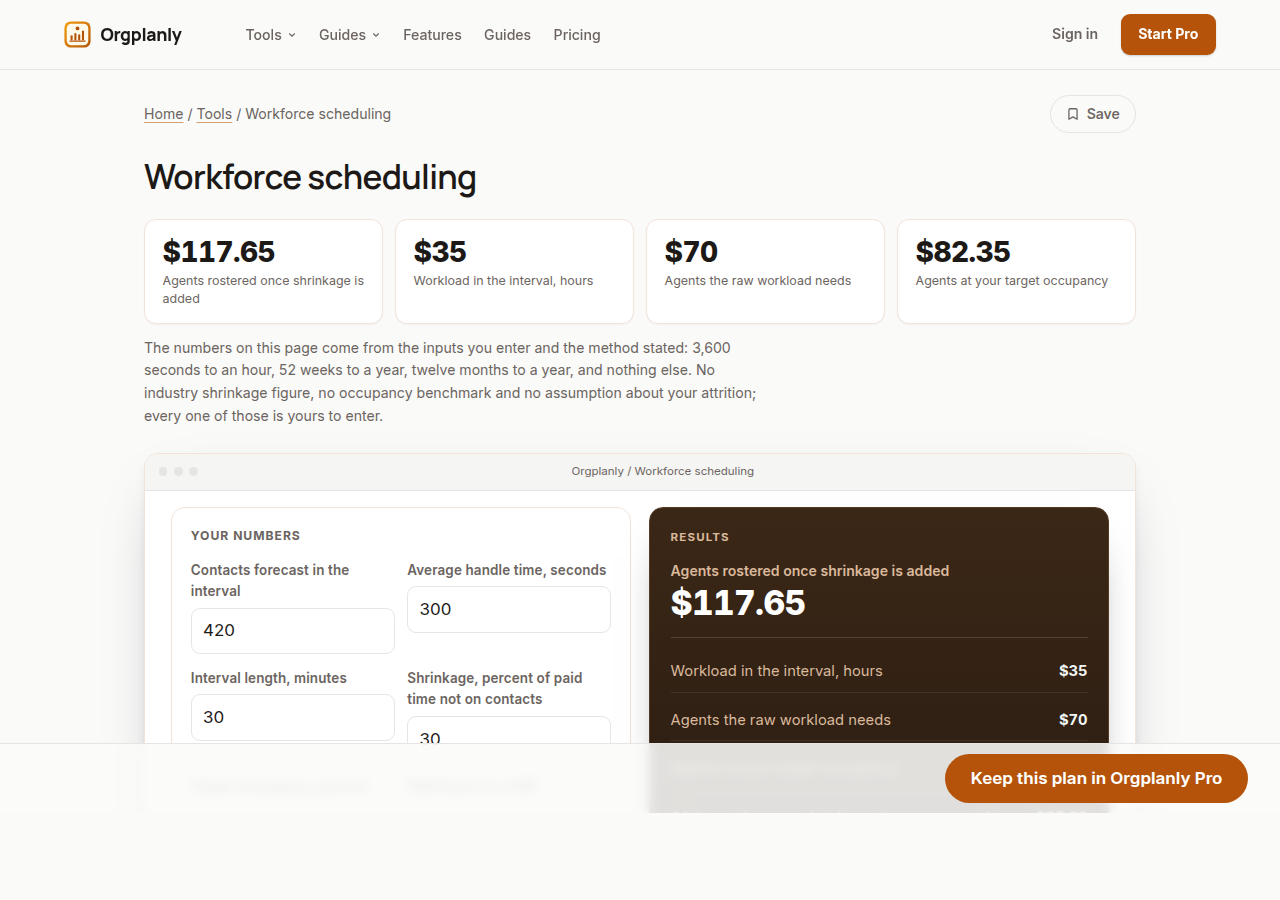
The workforce scheduling worksheet turns a forecast into a roster requirement in the order the arithmetic actually works: contacts and average handle time into workload, workload into the agents that raw work needs, then divided by your target occupancy and again by one minus your shrinkage. It also returns how many agents shrinkage alone accounts for, the rostered hours across the day and the shifts that is. Enter your own figures and it computes on the page, with no account.
Workload first, because it is the only certain part
Contacts multiplied by average handle time is the work to be done, in seconds, and dividing by the interval gives the agents that raw work would need if everyone were busy every second. It is always the smallest number on the page and it is the only one that is arithmetic rather than policy.
Occupancy is a decision, not a fact
Nobody handles contacts every second of a shift, and how busy you are willing to run people is a choice with consequences for attrition and quality. Dividing the raw requirement by your target occupancy is where that choice enters the number, which is why it belongs to you and not to a benchmark.
Shrinkage is the one that surprises people
Breaks, meetings, training, coaching, absence and downtime are paid time nobody is on contacts, and they are applied to the whole roster rather than to the workload. Dividing by one minus shrinkage is why a thirty percent figure adds far more than thirty percent of the raw number, and the worksheet shows exactly how many agents that is.
From agents to hours and shifts
Multiplying the rostered requirement across the intervals in the day gives rostered hours, and dividing by your shift length gives shifts. That is the number a scheduler actually works with and the one a budget conversation understands, and it falls out of the same inputs.
What the worksheet refuses to decide
What service level you should hold, what shrinkage or occupancy is reasonable, and whether a forecast is any good are your team's judgements. The worksheet does arithmetic on what you enter and publishes no benchmark for any of them.
Workforce scheduling: common questions
Why divide rather than add percentages? Because occupancy and shrinkage are proportions of different things, and adding them understates the requirement. The worksheet divides, in order, which is why its answer is larger than the one most spreadsheets produce.
What counts as shrinkage? Whatever paid time is not available for contacts: breaks, meetings, training, coaching, absence, system downtime. Which of those you include is your team's definition, and the worksheet takes your number.
Where do the numbers come from? Entirely from your inputs, plus 3,600 seconds to an hour. No industry shrinkage or occupancy figure appears anywhere on this site.
Orgplanly Pro
Keeping what you make
The worksheet answered today's question. Pro keeps the answer: the plan you just worked saved against the team it belongs to, re-opened at the next review instead of rebuilt, branded and exported for the budget meeting.
- Keep this scenario, so next quarter starts from it instead of a blank sheet
- Put two scenarios side by side: the plan at your attrition and the plan at last year's
- The plan goes out clean, without the Orgplanly watermark
- Send the plan for review from the record, not a spreadsheet
- Not part of Orgplanly today; your billing stays where it is
- Not part of Orgplanly today; your ledger stays where it is
$90per month, whole team
Start Orgplanly Pro Free for 14 days. No card needed. PricingThe first 14 days are free and no card is asked for. Add a card during the trial and the first charge is on the day it ends; do not, and your workspace becomes read-only with nothing deleted. Orgplanly Pro renews monthly at $6.50 per user per month until you cancel; the price and renewal terms are shown before checkout.
Where the constants in this tool come from
US Bureau of Labor Statistics: Occupational Employment and Wage Statistics.