Recruitment management system
- Time to hire, days end to end
- 31
- Computed on this page from the inputs below
- The same in weeks
- 4.4
- Computed on this page from the inputs below
- Days before an offer is even made
- 26
- Computed on this page from the inputs below
- Share of the wait that happens before an offer, percent
- 84
- Computed on this page from the inputs below
The numbers on this page come from the inputs you enter and the method stated: 3,600 seconds to an hour, 52 weeks to a year, twelve months to a year, and nothing else. No industry shrinkage figure, no occupancy benchmark and no assumption about your attrition; every one of those is yours to enter.
Email me this result
We will send you these figures and a link back to them. One email, nothing else unless you tick the box.
The figures above start from a worked example (31). Change any input and the answer updates as you type.
Download the Recruitment management system worked example (CSV)
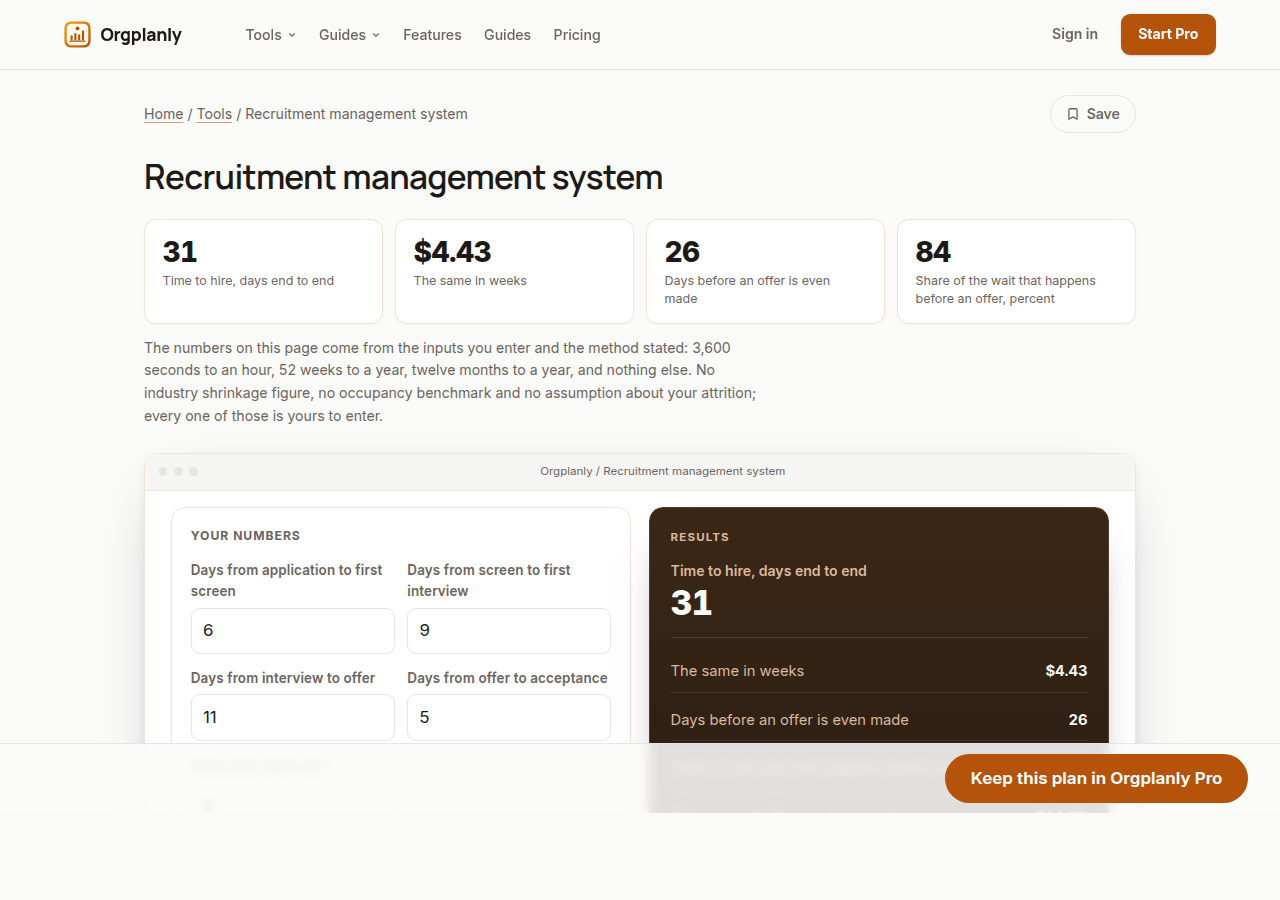
A recruitment management system is bought to make hiring faster, and the first thing worth knowing is where the time currently goes. This sheet takes four numbers you can get from your own last few hires: the days from application to first screen, screen to first interview, interview to offer, and offer to acceptance, plus the reqs you have open. It returns time to hire end to end, the same in weeks, the days that pass before an offer exists at all, the share of the wait that is upstream of the offer, how many hires one pipeline can turn over in a year at that pace, and how many weeks of pipeline your open reqs represent if they ran one at a time. On the worked example, 6 plus 9 plus 11 plus 5 is 31 days, and 26 of them, 84%, happen before anyone makes an offer. Desks that feel slow usually blame the offer stage, and the arithmetic almost always disagrees.
The offer is rarely the problem
Five of the 31 days on the worked example are between offer and acceptance. Shaving that stage to nothing saves 16% of the wait; halving the screening delay saves more, and costs nothing but a calendar habit.
Days, not averages of averages
Work the stages from your own recent hires rather than from a remembered figure. The point of splitting the wait four ways is that one stage is usually much worse than the others, and a single average hides exactly that.
What your open reqs actually represent
Eight reqs at 31 days each is 35 weeks of pipeline if they ran one at a time. They do not, of course, but the figure is the honest answer to whether one person can carry that list.
Recruitment management system: common questions
Where does time to hire start? Here it starts at application, because that is the clock the candidate experiences. Some desks measure from when the req was approved, which is a longer and equally legitimate number; whichever you pick, keep it consistent or the trend means nothing.
What is a good time to hire? This site publishes no benchmark and would be guessing if it did. It depends on the role, the market and how many people the process has to convince. The sheet tells you what yours is and which stage owns the days, which is the actionable half.
Does a faster process mean worse hires? That is a real trade-off and the sheet does not pretend to settle it. What it does say is where the time goes, so a decision to spend more days is a decision rather than a drift.
Orgplanly Pro
Keeping what you make
The worksheet answered today's question. Pro keeps the answer: the plan you just worked saved against the team it belongs to, re-opened at the next review instead of rebuilt, branded and exported for the budget meeting.
- Download the finished checklist or intake form as a file the client accepts
- The paperwork goes out clean, without the Kickoffo watermark
- Re-use the checklist for the next client instead of rebuilding it
- Your firm's logo on every checklist and form you send
- Export every client's onboarding at once when the account review or the buyer asks
- Send the plan for review from the record, not a spreadsheet
- Not part of Orgplanly today; your billing stays where it is
- Not part of Orgplanly today; your ledger stays where it is
$90per month, whole team
Start Orgplanly Pro Free for 14 days. No card needed. PricingThe first 14 days are free and no card is asked for. Add a card during the trial and the first charge is on the day it ends; do not, and your workspace becomes read-only with nothing deleted. Orgplanly Pro renews monthly at $6.50 per user per month until you cancel; the price and renewal terms are shown before checkout.
Where the constants in this tool come from
US Bureau of Labor Statistics: Job Openings and Labor Turnover Survey.