Self service portals: the content plan
- Share of tickets covered, %
- 80
- Computed on this page from the inputs below
- Articles to write
- 32
- Computed on this page from the inputs below
- Hours to write them
- 48
- Computed on this page from the inputs below
- Tickets a month the articles answer
- 960
- Computed on this page from the inputs below
The numbers on this page come from the inputs you enter and the method stated: 3,600 seconds to an hour, 52 weeks to a year, twelve months to a year, and nothing else. No industry shrinkage figure, no occupancy benchmark and no assumption about your attrition; every one of those is yours to enter.
Email me this result
We will send you these figures and a link back to them. One email, nothing else unless you tick the box.
The figures above start from a worked example (80). Change any input and the answer updates as you type.
Download the Self service portals: the content plan worked example (CSV)
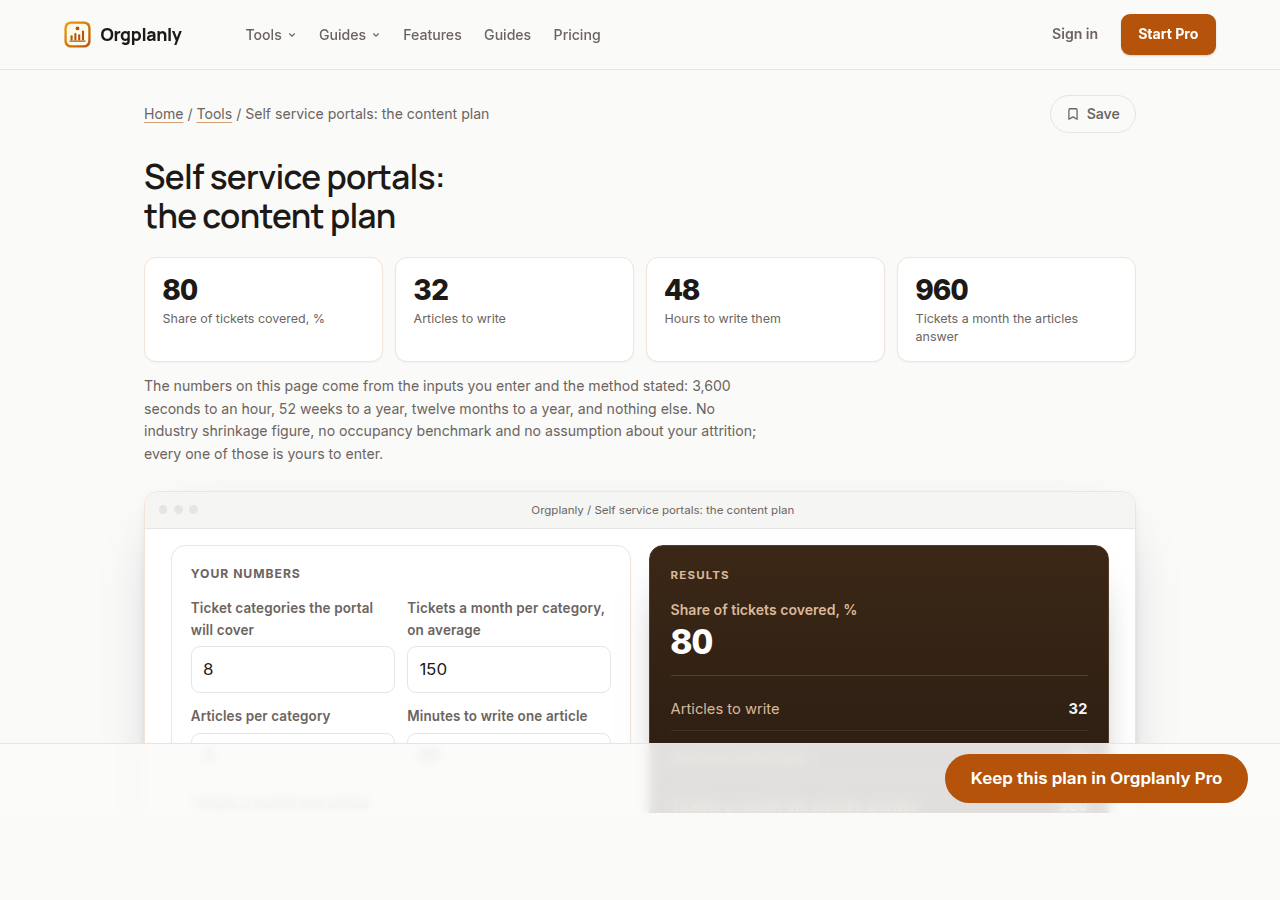
This is a self service portals worksheet that sizes the help center before anyone writes it. Categories times articles per category is the articles to write; articles times minutes over sixty is the hours; articles times the tickets one article answers a month is the tickets covered; and covered over the month's tickets across the categories is the share of tickets the portal can deflect. Every figure is yours: the categories come from your ticket log, the tickets an article answers from counting last month's, and the worksheet publishes no benchmark. Free, on the page, no account; the paid plan keeps every article with what it answered this month.
Articles: categories times articles each
Eight ticket categories at four articles each is 32 articles, which is the portal's first content wave. The categories are the ticket log's, not a template's: a category that produces a ticket a month does not need four articles, and one that produces two hundred may need eight. The worksheet takes the average and returns the count.
Hours: the writing, sized honestly
32 articles at 90 minutes each is 48 hours, a working week and a bit for one person or two days for three. The minutes per article are yours; an article that needs screenshots and a review takes longer than one that answers a billing question in two paragraphs, and the average is what the worksheet asks for.
Coverage: the tickets the articles will answer
32 articles at 30 tickets a month each is 960 tickets covered of 1,200 across the eight categories, 80% on the worked example. That figure is the deflection share the savings worksheet needs, read from the content plan rather than assumed; the paid plan then measures it per article, per month.
Self service portals: the content plan: common questions
How many articles does a self-service portal need? As many as the repeating ticket categories need: categories times articles per category, sized from your own ticket log. The worked example's 32 articles cover 80% of 1,200 tickets a month; your log decides yours, and the worksheet works the count and the hours.
How long does it take to write a help centre? Articles times minutes per article: 32 articles at 90 minutes is 48 hours on the worked example. Enter your own minutes, because an article with screenshots and a review cycle takes longer than a two-paragraph billing answer.
Is this a free self-service portal template? It is a free worksheet that sizes the portal's content, not a template: enter categories, tickets per category, articles per category, minutes per article and the tickets an article answers, and it works the articles, the hours, the tickets covered and the share covered on the page with no account and no card. Deflectvo Pro keeps every article with what it answered.
Orgplanly Pro
Keeping what you make
The worksheet answered today's question. Pro keeps the answer: the plan you just worked saved against the team it belongs to, re-opened at the next review instead of rebuilt, branded and exported for the budget meeting.
- Download the finished checklist or intake form as a file the client accepts
- The paperwork goes out clean, without the Kickoffo watermark
- Re-use the checklist for the next client instead of rebuilding it
- Your firm's logo on every checklist and form you send
- Export every client's onboarding at once when the account review or the buyer asks
- Send the plan for review from the record, not a spreadsheet
- Not part of Orgplanly today; your billing stays where it is
- Not part of Orgplanly today; your ledger stays where it is
$90per month, whole team
Start Orgplanly Pro Free for 14 days. No card needed. PricingThe first 14 days are free and no card is asked for. Add a card during the trial and the first charge is on the day it ends; do not, and your workspace becomes read-only with nothing deleted. Orgplanly Pro renews monthly at $6.50 per user per month until you cancel; the price and renewal terms are shown before checkout.